


Ideas for Implementing Snapchat in the Classroom
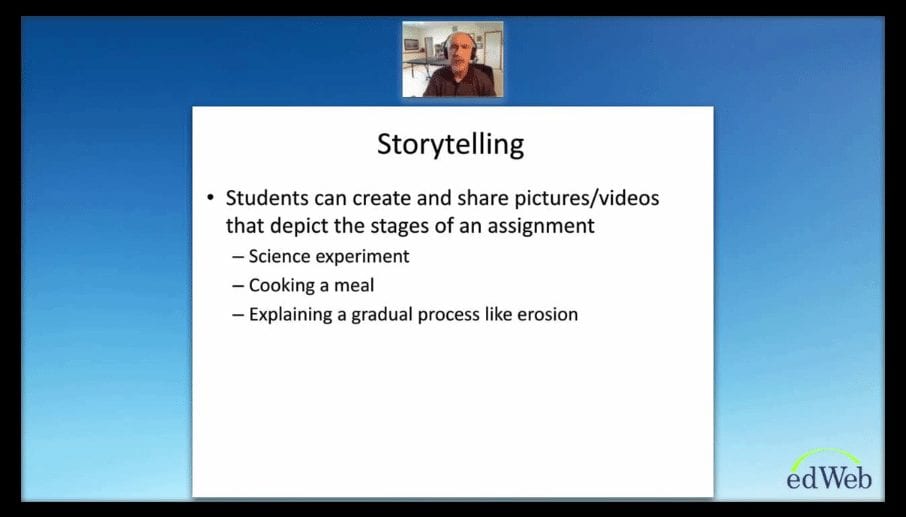
 Snapchat is turning into more than just an amusing app that lets people send pictures and videos, only to disappear after a few seconds. Many educators are finding ways to make learning fun for their students by incorporating Snapchat into their lessons. In “Snapchat: Creating an Engaging Learning Experience,” Shannon Holden, Assistant Principal, Republic Middle School, MO, reviewed why educators should consider bringing the app into their classrooms and specific ideas on how to integrate the app into their lessons.
As the most common social media platform for people ages 12-24, there is a strong chance most middle or high school students are already using Snapchat. The app has many benefits, and is a great opportunity for educators to take learning outside of the classroom. With the story and loop features, teachers can spread out their content and take advantage of the repetition—two effective ways to learn new material. Teachers can also use the app to post pictures and short videos to help summarize the material learned in class that day. If your school does not allow your classroom account to follow the students back, it can be used for one-way communication; your students can follow you and still see all of your content.
 Although Snapchat can be a powerful and unique classroom tool, there are a few drawbacks. Some administrators may be hesitant to allow it as a teaching tool due to the negative stigma of social media. Also, the minimum age for the app is 13, so this should only be used with older middle school and high school students. To help ensure responsible use of the app, Shannon recommended creating a classroom policy. The students are likely to follow the rules because they will be excited to use Snapchat for school. He also added, “I would not make it mandatory to follow my classroom account, but what I would do is give (the students) so much value that they would feel like they’re missing out on something by not following your Snapchat account.
Snapchat provides many opportunities for educators to integrate the app into their teaching. Educators can offer students real examples of a subject, like math or science being used in everyday life. The story feature offers a unique way to demonstrate different timelines, like moon phases or historical events. In addition to a teaching tool for during or after class, teachers can also use Snapchat to prepare students before class by posting a discussion question at the beginning of the day, or even using it as an efficient way to send announcements on things like materials needed for class, or the schedule for the following day. There are many creative ways educators can make use of Snapchat into the classroom, and this tool is sure to capture your students’ attention.
This broadcast was hosted by edWeb.net.
This article was modified and published by eSchool News.
About the Presenter
Shannon Holden has been a high school and middle school teacher and administrator in Texas and Missouri for 20 years. Shannon built a website, www.newteacherhelp.com to help reduce the 50% five-year attrition rate for new teachers in the educational profession. Shannon speaks to college students, teachers, and administrators across the Midwest about classroom management, maintaining positive relationships with parents, instructional strategies that engage students, and implementing technology in the classroom. He is the host of the New Teacher Help and TechTools for the Classroom communities on edWeb.net. Follow him on Twitter @newteacherhelp.
Join the Community
TechTools is a free professional learning community where educators can discover new resources, free technology, and great ideas for integrating technology into the classroom to engage and inspire students.
Comments are closed.