This edWebinar outlines real-life stories from teachers who have conquered complex equity challenges in their classrooms and from edtech coaches who have implemented equity-centered innovative professional development


This edWebinar outlines real-life stories from teachers who have conquered complex equity challenges in their classrooms and from edtech coaches who have implemented equity-centered innovative professional development

Teachers have many edtech resources in their toolbox now. The question is, are the teachers within a school, grade, or subject area accessing the same toolbox? More important, are the tools of equal quality? During the edWebinar, “Transform Learning: Track Results for Chromebooks, Google Suite, and Every Application,” presenters Kyle Berger, Chief Technology Officer at Grapevine-Colleyville ISD, TX, and Matthew X. Joseph, Ed.D., Director of Digital Learning and Innovation at Milford Public Schools, MA, talked about why they wrangled their technology and how having a defined edtech toolbox improved teaching and learning overall.

This edWebinar will highlight key findings from the survey that focused on learner variability, tailored instruction, use of edtech at school and home, and what informs teacher practice.
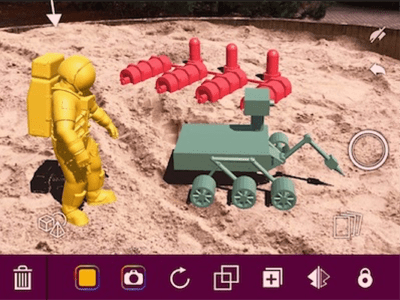
For teachers that have always wanted to use augmented reality (AR)—tech that overlays content on top of the real world—but haven’t had the chance to explore it, Jaime Donally has heard you. In her presentation “Creating Classroom Content in Augmented Reality,” she gave attendees some inside help on which apps to use in the classroom. With programs ranging from beginner level to current AR practitioners, she offered 10 apps that can help educators get started with no coding skills needed.

Tactical student data privacy questions like “What can I do right now?” should be asked by all CIO’s, teachers, administrators and policymakers in this changing landscape of data access, student privacy and interoperability. In a recent edWebinar, Dr. Larry Fruth, Executive Director and CEO of the Access 4 Learning (A4L) Community, and Jena Draper, Founder and General Manager at CatchOn, discussed head on the challenges school districts face with data access and student privacy. Dr. Fruth suggests that school districts hit the ground running by adding privacy components and security before it becomes a “what should I do right now?” situation. Draper adds to this suggestion by asserting that school districts need to look at data access from all angles, from the outer layer of the infrastructure to the rogue apps used in classrooms, to create a sound data access and student data privacy plans.

At this stage of the edtech revolution, most educators are focused on using tech to enhance lessons rather than on the tech itself. But many times tech is only integrated at specific points in the classroom or with a specific tool as determined by the teacher. At St. Albans City School (VT), SETDA’s 2018 Student Voices Award Winner, though, educators encourage the students to find places in their everyday work to incorporate digital resources, especially from their makerspace. In the edWebinar “Students Leverage Technology Tools and Makerspaces to Personalize Learning,” Grace Borst, Innovation Specialist at St. Albans City School, and several of her students explained how they’re using technology for assessment, service work, and more.

Step 1: Make a plan. That’s the first piece of advice for every superintendent and school leader who asks about creating 1:1 environments in their schools. During an edWebinar for the Empowered Superintendent series, “Leadership for Mobile Learning: Creating a Shared Vision,” the presenters said school leaders, though, often miss key parts of the planning process and end up with useless “hunks of plastic.” The speakers, led by Ann McMullan, Project Director for the CoSN Empowered Superintendents Program, shared their essential elements for a successful 1:1 plan as well as the steps they wish they could redo.

At the beginning of the edtech wave, superintendents saw many benefits from using digital resources in the classroom. But, they also saw a large number of resources being recommitted to just this one aspect of education: space for server farms, money for hardware and software upgrades, overworked personnel, etc. District IT offices were taking on the same tasks as Fortune 500 companies without the ability to implement them as effectively. For administrators looking to take the focus of edtech away from upkeep and back to learning, moving to the cloud could be the answer. Presenters of the edWebinar, “Cloud Computing: Taking Advantage of the Latest Technologies,” which is part of the Empowered Superintendents edWebinar series, shared their reasons for switching to the cloud, how it has helped their schools, and their advice when making the transition.

We’re in the Golden Age of Educational Apps, according to Shannon Holden, Assistant Principal at Republic Middle School (MO). However, many parents and educators question the educational value of apps and worry they are taking away from actual instructional time. Holden reminded attendees in his recent edWebinar “10 Apps Every Teacher Needs NOW!” that like any instructional resource, teachers should carefully review each app’s purpose and potential for aiding the learning process. The apps showcased in the presentation help reinforce lessons, organize lesson content, and assess student progress.

In this edWebinar, examinine the challenges and opportunities that are unique to rural school districts when moving forward with technology tools.